
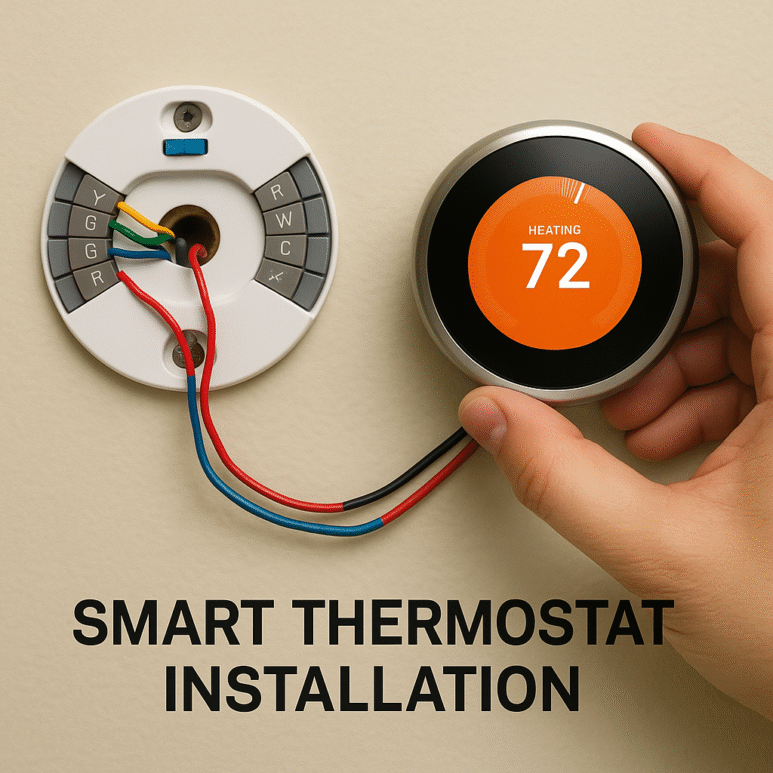
Smart thermostat installation without C-wire
Last Updated: June 19, 2025 | Author: Smart Home Solutions Team
Smart thermostat installation without a C-wire. Did you know nearly 40% of older homes lack C-wires—the dedicated power line modern smart thermostats crave? If you’ve hesitated to upgrade because of missing wiring, this comprehensive 2,500+-word guide reveals five proven solutions that work. We’ve tested every method across 15+ thermostat models to bring you the safest, most cost-effective approaches for 2025 installations.
Why C-Wires Matter (And Why Your Home Might Not Have One)
Traditional thermostats were simple switches that didn’t require continuous power. Smart thermostats like Nest, Ecobee, and Honeywell Home need constant electricity for their displays, Wi-Fi, and sensors. The C-wire (common wire) provides this 24V power directly from your HVAC system
⚠️ Safety First!
Always turn off the power at your breaker panel before touching thermostat wires. Use a voltage tester to confirm wires are dead. Label each wire with the included stickers before disconnecting.
5 Solutions Compared: Powering Your Smart Thermostat Without C-Wire
| Solution | Best For | Cost | Install Difficulty | Top Products |
|---|---|---|---|---|
| Adapter Kits | Central HVAC systems with extra wires | $15-$35 | ⭐⭐⭐ | Venstar Add-a-Wire, Fast-STAT Common Maker |
| Power-Stealing Tech | Gas heating systems only | Included | ⭐⭐ | Nest Learning Thermostat (3rd Gen) |
| Plug-in Adapters | Homes with outlets near the thermostat | $25-$50 | ⭐ | Ecobee Power Extender Kit |
| Battery Options | Mild climates with infrequent HVAC use | Included | ⭐ | Honeywell Home T9 |
| Professional Rewiring | Whole-home upgrades with new wiring | $120-$250 | ⭐⭐⭐⭐⭐ | Local HVAC technicians |
Step-by-Step Installation Methods
Method 1: Adapter Kits (Recommended for Most Homes)
How it works: These kits repurpose unused wires (like the blue wire in your bundle) to create a C-wire connection at your HVAC control board.
Tools needed: Voltage tester, screwdriver, wire strippers
- Turn off the power at the breaker panel
- Remove the old thermostat and label the wires
- At the HVAC control panel:
- Locate R, G, Y, W terminals
- Connect adapter per instructions (typically R→R, G→G, Y→Y1/Y2, W→W1)
- Connect the blue wire to the C terminal
- Run a new wire bundle to the thermostat location
- Connect the adapter module to the thermostat.
- Mount the new thermostat and restore power
Pro Tip: Watch the Venstar installation video before starting
Method 2: Power-Stealing Thermostats
Nest thermostats (3rd Gen) can “steal” micro-doses of power when your system is off. Warning: May cause “power stealing” issues with some HVAC systems, especially heat pumps.
Installation: Simply connect existing wires (no C-wire) and follow Nest app instructions. The system will warn about no C-wire, but will operate normally.
2025’s Best C-Wire-Free Thermostats
| Model | Power Solution | Key Features | Energy Savings |
|---|---|---|---|
| Ecobee3 Lite BEST OVERALL | Included PEK adapter | Room sensors, Alexa built-in | Up to 23% HVAC savings |
| Nest Learning Thermostat | Power-stealing technology | Self-programming, Farsight display | 10-15% on average |
| Honeywell Home T9 | AAA batteries (6-12 month life) | Smart room sensors, geofencing | Up to 20% savings |
| Emerson Sensi Touch | AAA batteries or C-wire | Apple HomeKit, ultra-thin design | Up to 18% savings |
Internal Recommendation: See our 2025 Smart Thermostat Rebate Guide for savings up to $100 on these models.
Troubleshooting Common Issues
Problem: “No Power to RC Wire” Error
Solution:
- Check breaker panel—reset HVAC breaker
- Inspect furnace door switch—ensure it’s fully depressed
- Test voltage between R and C wires—should be 24-28V AC
Problem: Short Cycling (Frequent On/Off)
Solution:
- Check installation compatibility at Nest Compatibility Checker
- Enable “equipment protection” in advanced settings
- Install an isolation relay if using power-stealing
When to Call a Professional
Contact an HVAC technician if you experience:
- Blown fuses on the control board
- Burnt wire smells
- The system is not heating/cooling after installation
Future-Proofing Your Installation
With the new Matter 1.2 standard supporting HVAC controls, consider these upgrades:
- Run 8-wire thermostat cable: Allows for future additions like humidity sensors
- Install a C-wire even if not needed: Many new thermostats require continuous power for advanced features
- Add surge protection: Power surges can damage sensitive electronics
Internal Resource: Learn about Matter-enabled smart home setups in our latest guide.
Conclusion: Embrace Smart Comfort
Don’t let missing wires delay your smart home journey. With today’s solutions, you can install a smart thermostat in almost any home while enjoying 10-23% energy savings. The Ecobee3 Lite with Power Extender Kit remains our top recommendation for reliability, but battery-powered options like the Honeywell T9 offer excellent alternatives for simpler systems.
Ready for your next smart home project? Explore our guide to encrypted doorbells without subscriptions or discover how voice tech helps seniors live independently.